
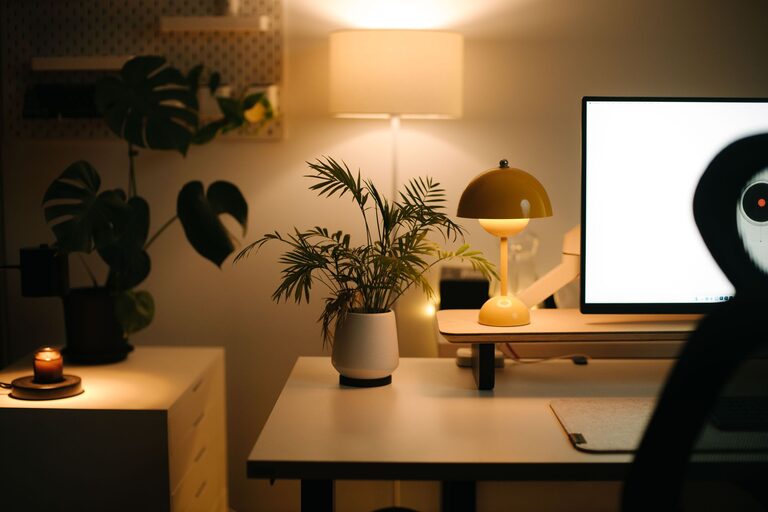
Creating a productive home workspace can dramatically improve your ability to focus, complete tasks efficiently, and maintain a healthy work-life balance. Whether you work remotely full-time or occasionally take work home, organizing your workspace with intention is key to success. In this post, we’ll share practical tips for setting up and maintaining a home workspace that enhances productivity.
Choose the Right Location
The first step is selecting a dedicated area in your home where you can work consistently. Here are a few things to consider:
– Quiet and Low Traffic: Choose a spot with minimal distractions and foot traffic to maintain concentration.
– Good Natural Light: Natural light helps reduce eye strain and can improve mood. Try to pick a spot near a window.
– Enough Space: Ensure you have enough room for your desk, chair, and equipment without feeling cramped.
Even a small nook can work well if it’s organized and solely dedicated to work.
Invest in Ergonomic Furniture
Comfort is crucial when you spend long hours working at home. Ergonomic furniture supports good posture and reduces physical strain.
– Adjustable Chair: A chair with lumbar support and adjustable height helps prevent back pain.
– Desk at Proper Height: Your desk should allow your elbows to rest comfortably at a 90-degree angle.
– Monitor Position: Keep your computer screen at eye level to avoid neck strain.
Ergonomic accessories like footrests, wrist supports, and keyboard trays can also improve comfort.
Declutter and Organize Your Desk
A clutter-free desk helps minimize distractions and improves focus.
– Limit Items: Keep only essential items on your desk such as your computer, notepad, and a pen.
– Storage Solutions: Use drawers, shelves, or desk organizers to store supplies out of sight but within reach.
– Cable Management: Use clips or cable sleeves to keep cords tidy and prevent tangling.
Regularly clean your workspace to maintain an organized environment.
Use Effective Lighting
Proper lighting is important for reducing eye strain and staying alert.
– Natural Light: Maximize daylight when possible; consider sheer curtains to reduce glare.
– Task Lighting: Use a desk lamp with adjustable brightness to illuminate work areas.
– Ambient Lighting: Soft, ambient lighting can reduce contrast between your screen and surroundings.
Avoid harsh overhead lights or dim lighting that can cause fatigue.
Minimize Distractions
A productive workspace limits interruptions and distractions.
– Turn Off Notifications: Silence phone and computer notifications during focused work time.
– Headphones: Noise-canceling or comfortable headphones can help block out background noise.
– Set Boundaries: If you share your home, communicate your work schedule and workspace boundaries to others.
Using apps or timers to break up work into focused intervals (like the Pomodoro Technique) can also help maintain concentration.
Personalize Mindfully
Adding personal touches can make your workspace inviting, but keep it balanced to avoid clutter.
– Inspiring Decor: Place a few meaningful items like photos, plants, or artwork.
– Plants: Small indoor plants can improve air quality and boost mood.
– Colors: Choose calming or motivating colors for your workspace decorations.
Avoid overcrowding surfaces; aim for a clean yet personalized environment.
Organize Digital Files and Tools
A tidy physical workspace goes hand-in-hand with an organized digital environment.
– File Management: Use clear folder structures and consistent naming conventions for quick access.
– Applications: Keep frequently used tools accessible and remove distractions from your desktop.
– Backup: Regularly back up important files to avoid data loss.
Consider digital note-taking apps and calendars to streamline your workflow.
Set a Routine and Schedule Breaks
Creating work habits supports productivity throughout the day.
– Consistent Hours: Work during set hours to establish a routine and separate work from personal time.
– Scheduled Breaks: Take short breaks every 60-90 minutes to rest your eyes and stretch.
– Physical Movement: Stand up, walk around, or do light exercises to maintain energy and reduce stiffness.
Using a timer or calendar reminders can help you stick to your schedule.
Keep Supplies Handy
Having what you need within easy reach prevents interruptions.
– Essential Supplies: Stock your space with pens, paper, chargers, and other necessities.
– Organizers: Use trays, holders, or cups to keep these items orderly.
– Restock Regularly: Make it a habit to replenish supplies before they run out.
This small effort saves time and frustration during busy workdays.
Conclusion
Organizing a productive home workspace is about creating an environment that supports focus, comfort, and efficiency. By choosing the right location, investing in ergonomic furniture, reducing clutter, optimizing lighting, and developing routines, you’ll set yourself up for success. Remember that your workspace should work for you—adjust as needed to fit your habits and preferences for the best results. With these tips, you can enjoy a more productive and enjoyable work-from-home experience.

Related Posts